Switching branch and checking what to buy
2 min read · 4 steps
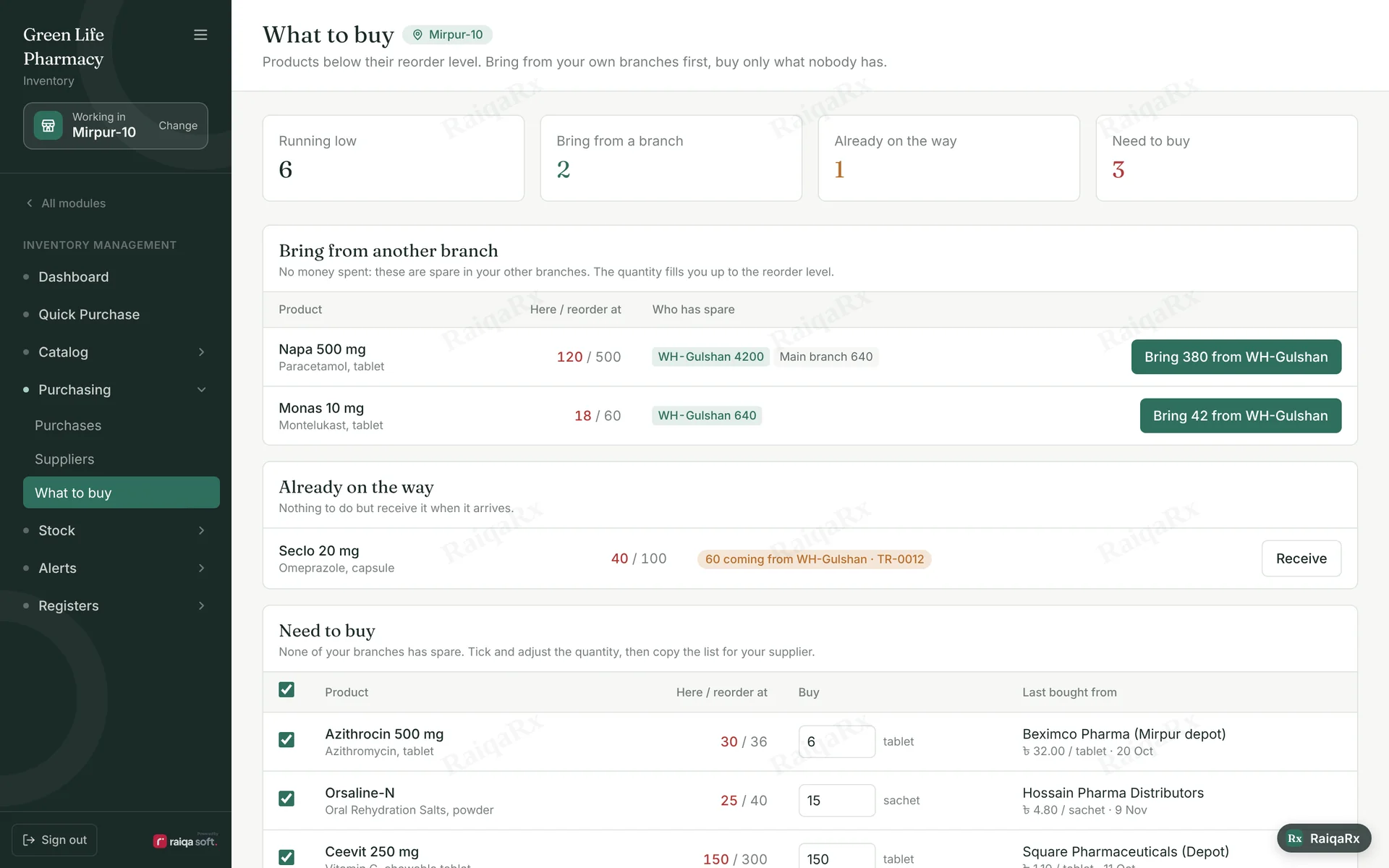
- Tap “Working in … / Change” on the left to switch branch. Stock and sales then belong to that branch.
- Open Purchasing → What to buy.
- “Bring from another branch” shows which branch has spare and how much to bring.
- If nobody has it, it appears under “Need to buy” — tick, adjust the quantity and copy the list for your supplier.
Tap a number to mark the step done · 0/4 done
Was this guide helpful?Thanks! Glad it helped.Sorry about that. Tell us where you got stuck — Write to support ›