Creating roles and giving menu access
4 min read · 4 steps
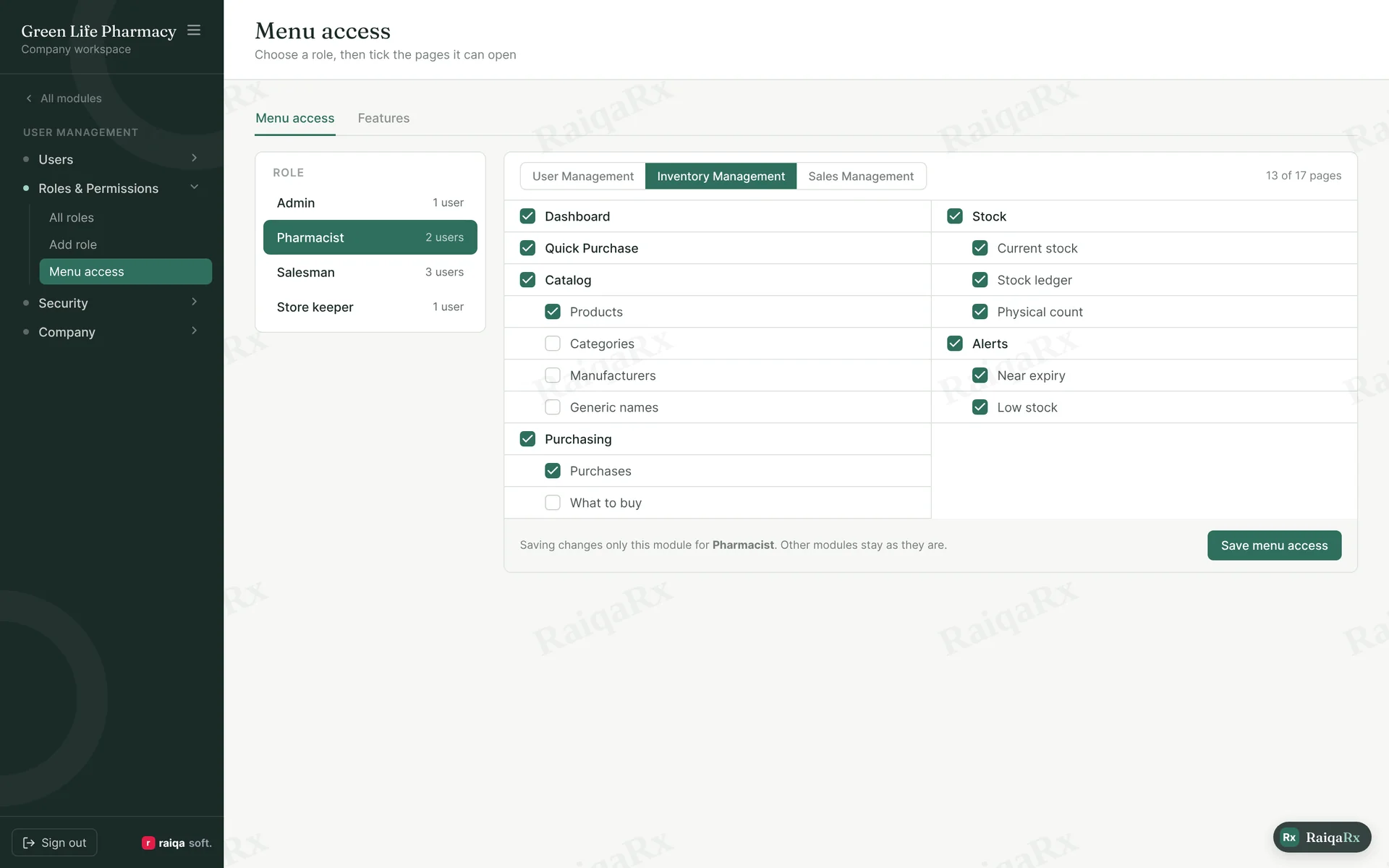
- User Management → Roles & Permissions → Menu/Features access.
- Pick a role at the top, then a module (User, Inventory, Sales).
- Tick the pages this role should see, then “Save menu access”. Only this module changes; unticked pages won’t open even by typing their address.
- In the Features tab, choose which roles get Telegram or prescription scan.
Tap a number to mark the step done · 0/4 done
Was this guide helpful?Thanks! Glad it helped.Sorry about that. Tell us where you got stuck — Write to support ›