First purchase: find medicines in the catalog and stock them
4 min read · 5 steps
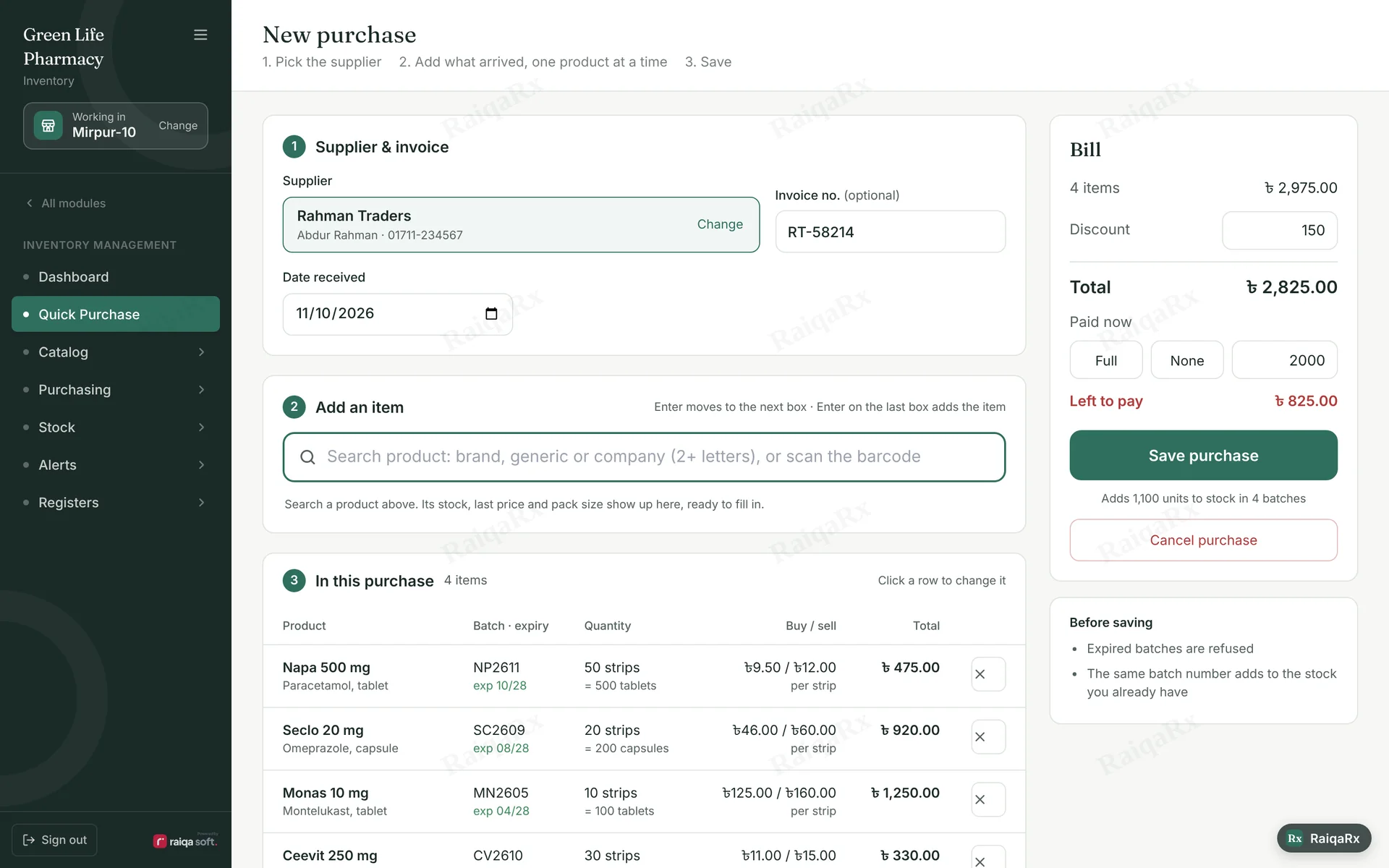
- Open Inventory → Quick Purchase.
- Pick the supplier. Enter the invoice number and date.
- Type the medicine name in “Add an item” — it comes from the catalogue of about 25,000. If it’s missing, add your own product from the side drawer.
- Enter quantity in strips or boxes, batch number, expiry (MM/YY), cost and MRP. Enter moves to the next box; Enter on the last box adds the line.
- On the right, enter how much you paid (Full / None / type an amount), then “Save purchase”.
Tap a number to mark the step done · 0/5 done
Was this guide helpful?Thanks! Glad it helped.Sorry about that. Tell us where you got stuck — Write to support ›