Sending, receiving and short transfers
5 min read · 4 steps
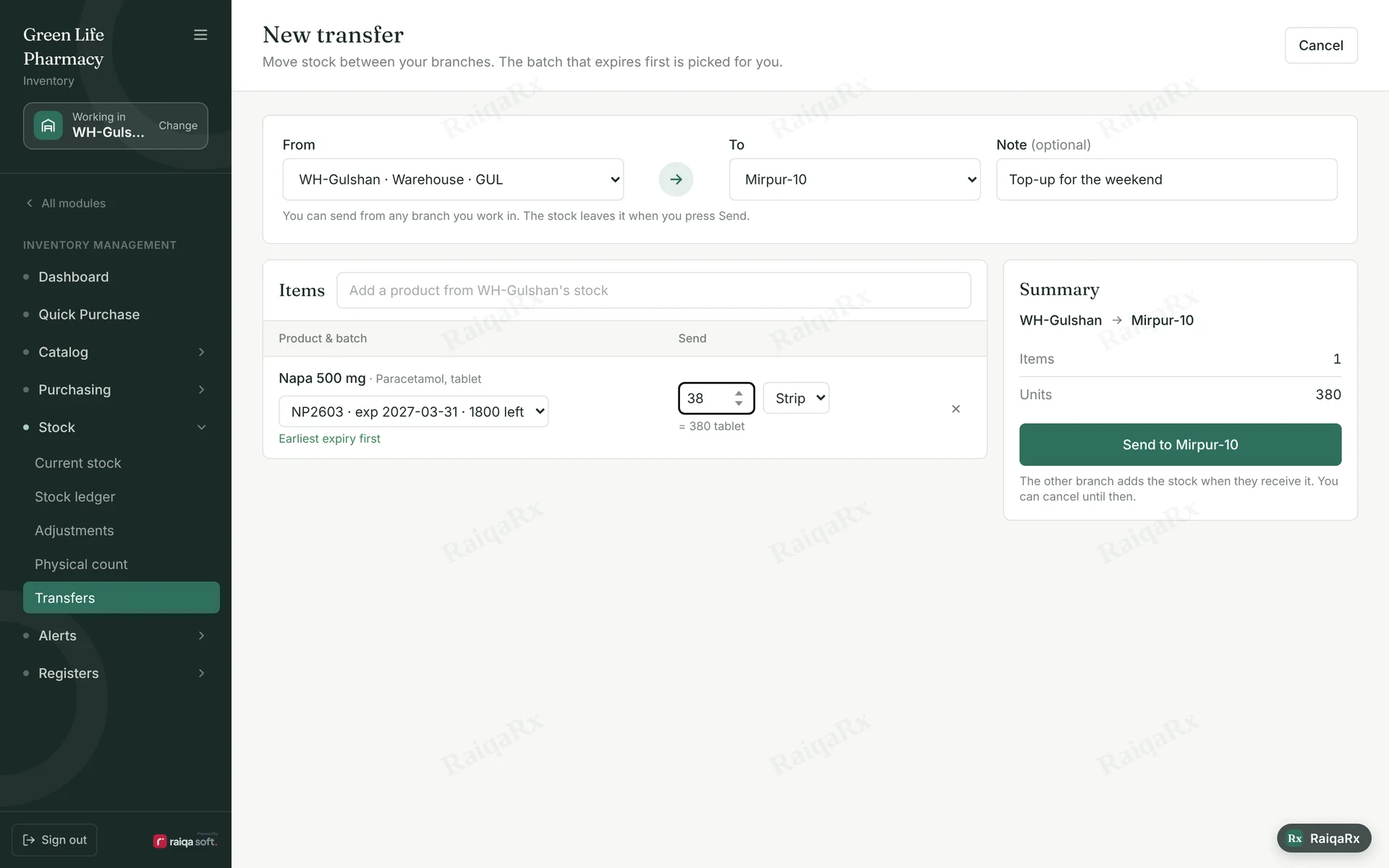
- Stock → Transfers → “New transfer”. Choose the receiving branch.
- Find the medicine and enter the quantity — the first-to-expire batch is picked for you. Tap Send.
- The receiving branch sees it under “Coming to me” and taps Receive when it arrives.
- If everything arrived, “Yes, all units arrived”. If less, enter the count and a reason — it’s recorded as “Short in transfer”. The sender can cancel before it’s received.
Tap a number to mark the step done · 0/4 done
Was this guide helpful?Thanks! Glad it helped.Sorry about that. Tell us where you got stuck — Write to support ›