Setting reorder levels
3 min read · 3 steps
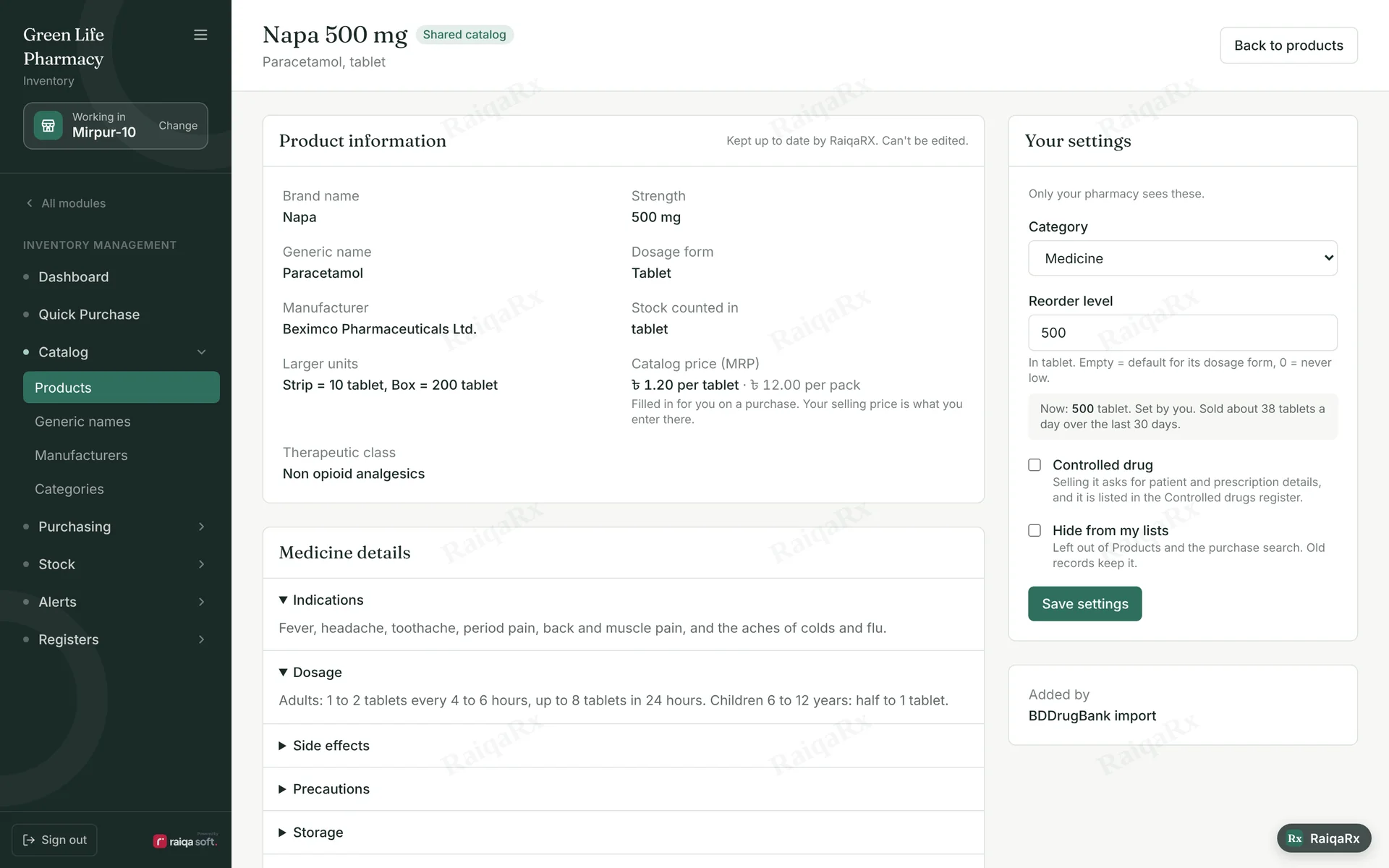
- Open the medicine from Inventory → Products.
- On the right, enter a number in “Your settings” → Reorder level. Empty uses the default for the dosage form; 0 means never “low”.
- Tap Save settings. When stock drops below it, it shows on the dashboard and on Telegram.
Tap a number to mark the step done · 0/3 done
Was this guide helpful?Thanks! Glad it helped.Sorry about that. Tell us where you got stuck — Write to support ›