Taking returns: where and how
3 min read · 5 steps
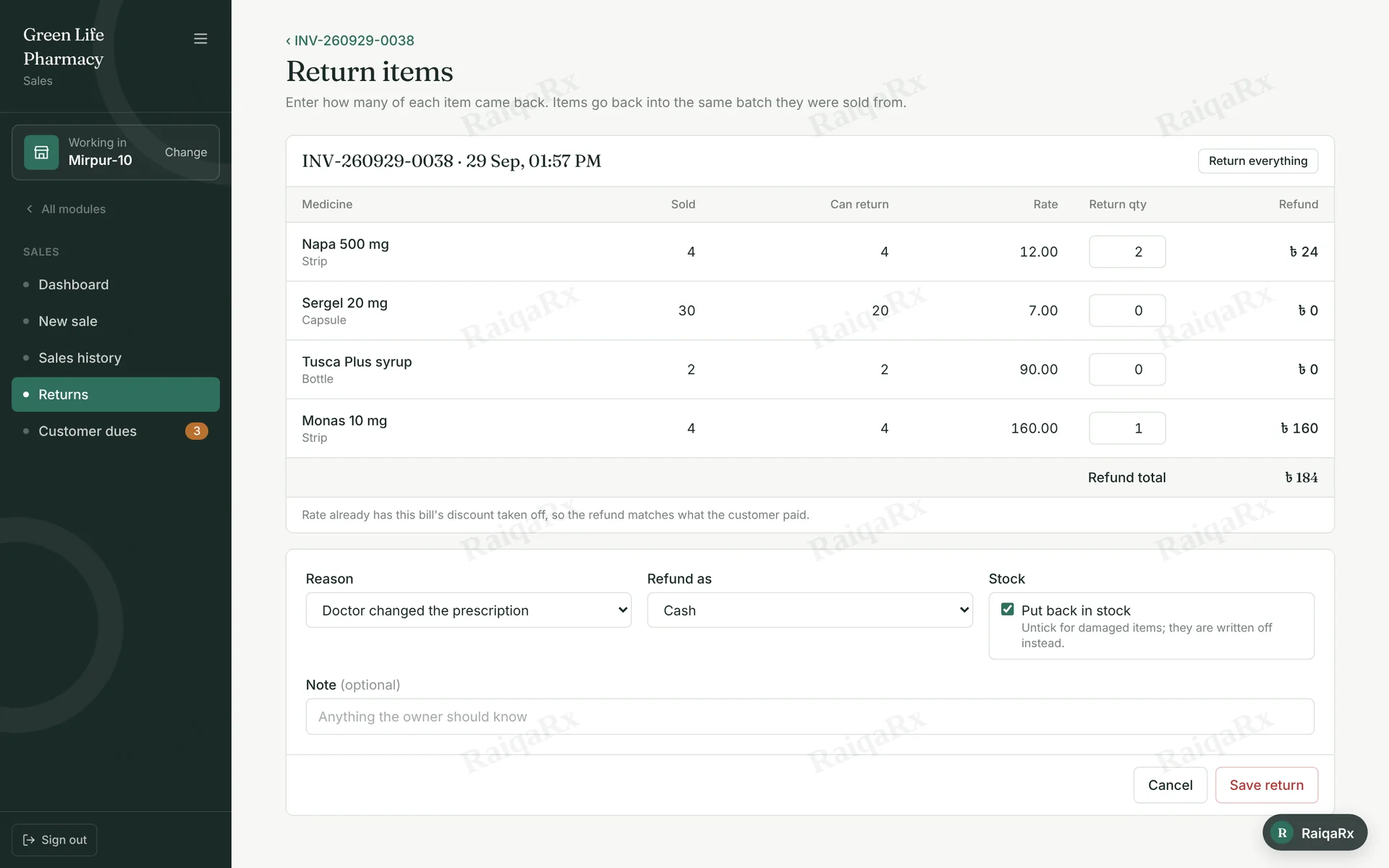
- Find the bill in Sales → Sales history (by the invoice number on the receipt).
- Open the bill, tap “Return items” and enter how many came back — or “Return everything”. Pick a reason.
- Choose how to refund: cash, reduce the customer’s due, or the same method. The amount is what the customer really paid.
- With several branches, a return is taken only at the branch that sold it.
- “Put back in stock” returns units to the batches they came from; untick it for damaged items.
Tap a number to mark the step done · 0/5 done
Was this guide helpful?Thanks! Glad it helped.Sorry about that. Tell us where you got stuck — Write to support ›