Linking Telegram for low-stock alerts
3 min read · 3 steps
- Your name at the top right → My profile.
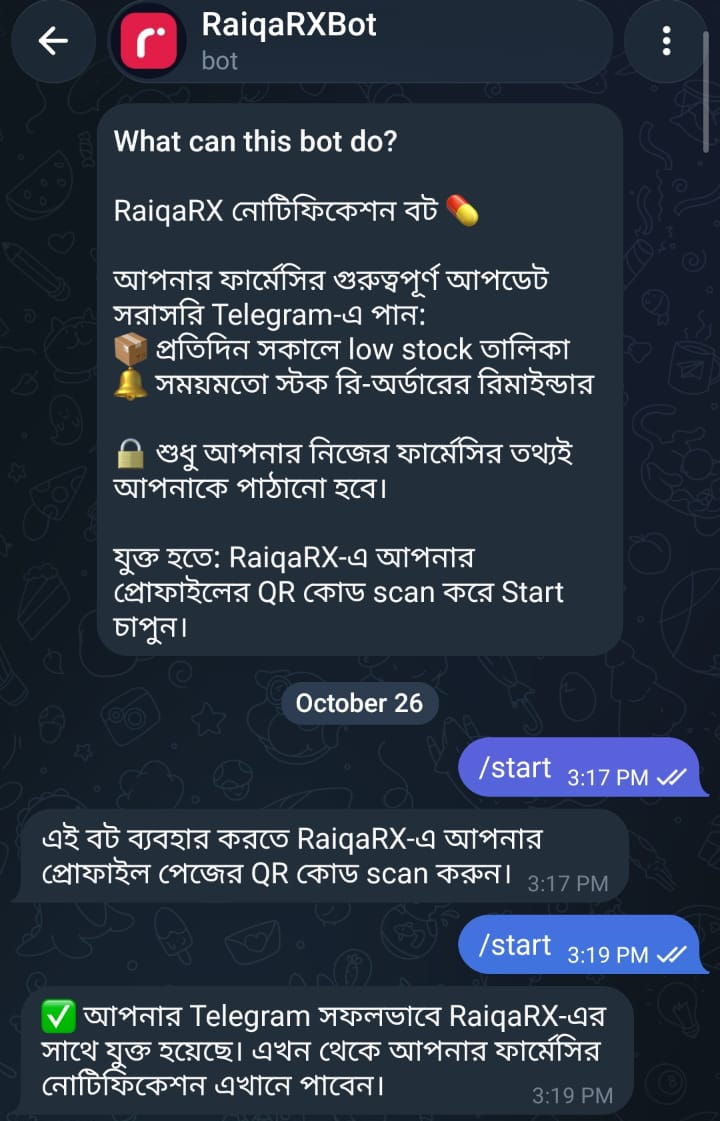
- The “Telegram notification” card shows a QR code. Scan it with your phone — RaiqaRXBot opens.
- Tap Start. A “✅ linked” message arrives and your profile shows “Connected”. The low-stock list then comes every day at 9 AM.
Tap a number to mark the step done · 0/3 done
Was this guide helpful?Thanks! Glad it helped.Sorry about that. Tell us where you got stuck — Write to support ›