Selling at the counter and printing receipts
3 min read · 5 steps
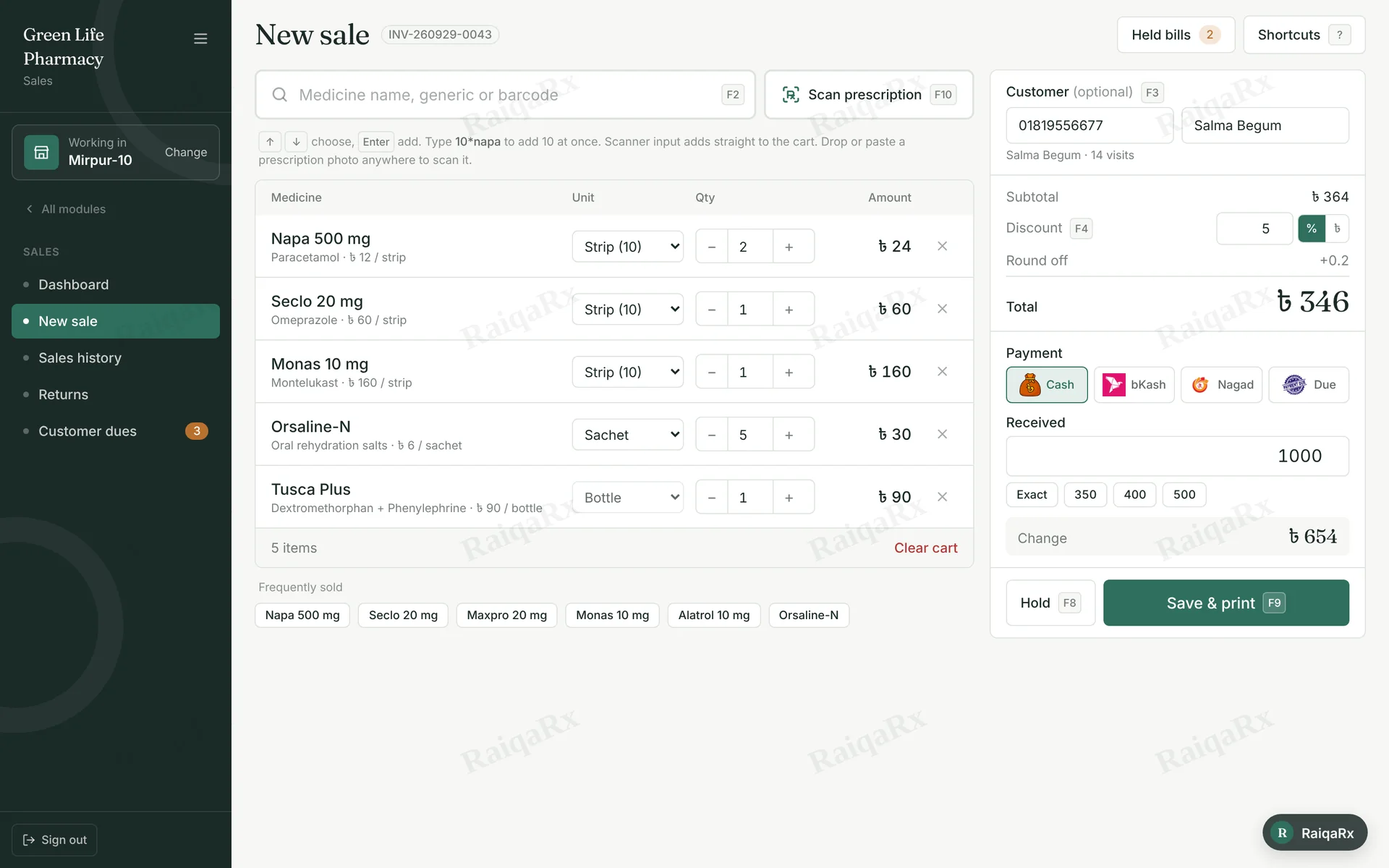
- Open Sales → New sale. F2 puts the cursor in the search box.
- Type a brand, generic or company name and press Enter. 10*napa adds 10 at once.
- Pick the unit (Tablet, Strip, Vial) and adjust quantity with − / +.
- Choose Payment (Cash, bKash, Nagad, Due). For cash, enter the amount in Received and the change is worked out; for bKash/Nagad, enter the transaction ID.
- Save & print (F9) — the receipt prints and stock is reduced.
Tap a number to mark the step done · 0/5 done
Was this guide helpful?Thanks! Glad it helped.Sorry about that. Tell us where you got stuck — Write to support ›